Finding the best standing desks for remote work doesn’t have to be complicated. Let’s be honest: sitting at a desk for eight straight hours is terrible for your body. Back pain, stiff shoulders, sluggish energy — we’ve all been there. That’s why standing desks have become the single most impactful upgrade you can make to your home office desk setup. But with dozens of options ranging from 00 to ,000, choosing the best standing desk for remote work can feel overwhelming.
We’ve spent countless hours researching and testing the best standing desks for remote work — from budget-friendly hand-crank options to premium motorized powerhouses. Whether you’re a freelancer or a remote team lead, our guide covers the best standing desks for remote work at every price point. Pair your desk with a quality ergonomic office chair or a budget-friendly standing desk converter and you’ll have a complete workstation.
Quick Picks: Top Standing Desks at a Glance
Short on time? Here are our top three recommendations:
| Pick | Product | Best For | Price Range |
|---|---|---|---|
| 🥇 Best Overall | FlexiSpot E7 Pro | Best value dual-motor desk | $499.99 – $659.99 |
| 🥇 Premium Choice | Uplift V2 | Customization & heavy loads | $599 – $999 |
| 🥇 Best Value | Vari Electric Standing Desk | Simplicity & reliability | $499 – $829 |
The 10 Best Standing Desks for Remote Work in 2026
1. FlexiSpot E7 Pro — Best Overall Standing Desk
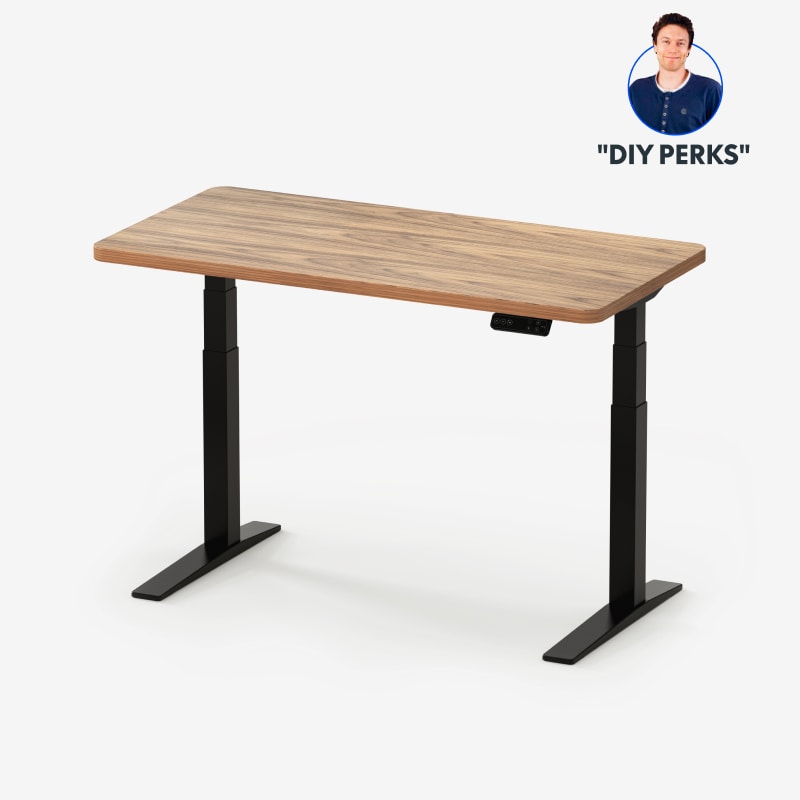
The FlexiSpot E7 Pro is our top pick for good reason. It delivers professional-grade dual-motor performance at a price that undercuts most competitors by $100–$600. With a lifting capacity of 355 lbs and a height range from 25.6″ to 51.2″, it accommodates users from 5’0″ to 6’5″ without breaking a sweat.
| Key Specs | |
| Height Range | 25.6″ – 51.2″ |
| Motor Type | Dual motor |
| Weight Capacity | 355 lbs |
| Desktop Size | 48″×30″ to 72″×30″ |
| Speed | 1.5″/sec (quiet) |
| Controller | Advanced keypad with 4 memory presets |
Pros
- Excellent dual-motor stability at a reasonable price
- Quiet operation — barely noticeable when adjusting
- Strong 355 lb lifting capacity supports heavy multi-monitor setups
- Available in multiple desktop sizes and colors
- Advanced anti-collision technology built-in
Cons
- Limited customization compared to Uplift (fewer accessory options)
- Assembly takes 45–60 minutes
Best for: Remote workers who want a premium dual-motor experience without overpaying. Ideal for 90% of setups.
Price range: $499.99 – $659.99 depending on desktop size and finish.
2. Uplift V2 — Best Premium Standing Desk

The Uplift V2 is the industry gold standard. It’s been the top-rated standing desk on Wirecutter for years, and for good reason: unmatched customization. You can configure your Uplift V2 with over 40 desktop finishes, a programmable memory pad that stores up to 4 positions, optional crossbars for extra stability, and accessories galore — from monitor arms to cable management trays to power grommets. It’s the standing desk equivalent of building a custom PC: every detail is up to you.
| Key Specs | |
| Height Range | 25.5″ – 51.1″ |
| Motor Type | Dual motor |
| Weight Capacity | 355 lbs |
| Desktop Size | 42″×30″ to 80″×30″ |
| Speed | 1.5″/sec |
| Frame Warranty | 15 years (industry-leading) |
Pros
- Unmatched customization — 40+ desktop finishes, 6 frame colors
- Rock-solid stability even at full height
- 15-year warranty on frame, 5 years on electronics
- Huge accessory ecosystem (keyboard tray, monitor arms, power strip)
- Assembled in the USA
Cons
- Premium price tag — easily the most expensive option on our list
- Shipping can take 2–3 weeks for custom configurations
- Heavy frame — you’ll need help assembling it
Best for: Power users who want total control over their setup. Excellent for multi-monitor configurations and heavy equipment.
Price range: $599 – $999 (can exceed $1,000 with accessories).
3. Vari Electric Standing Desk — Best Value
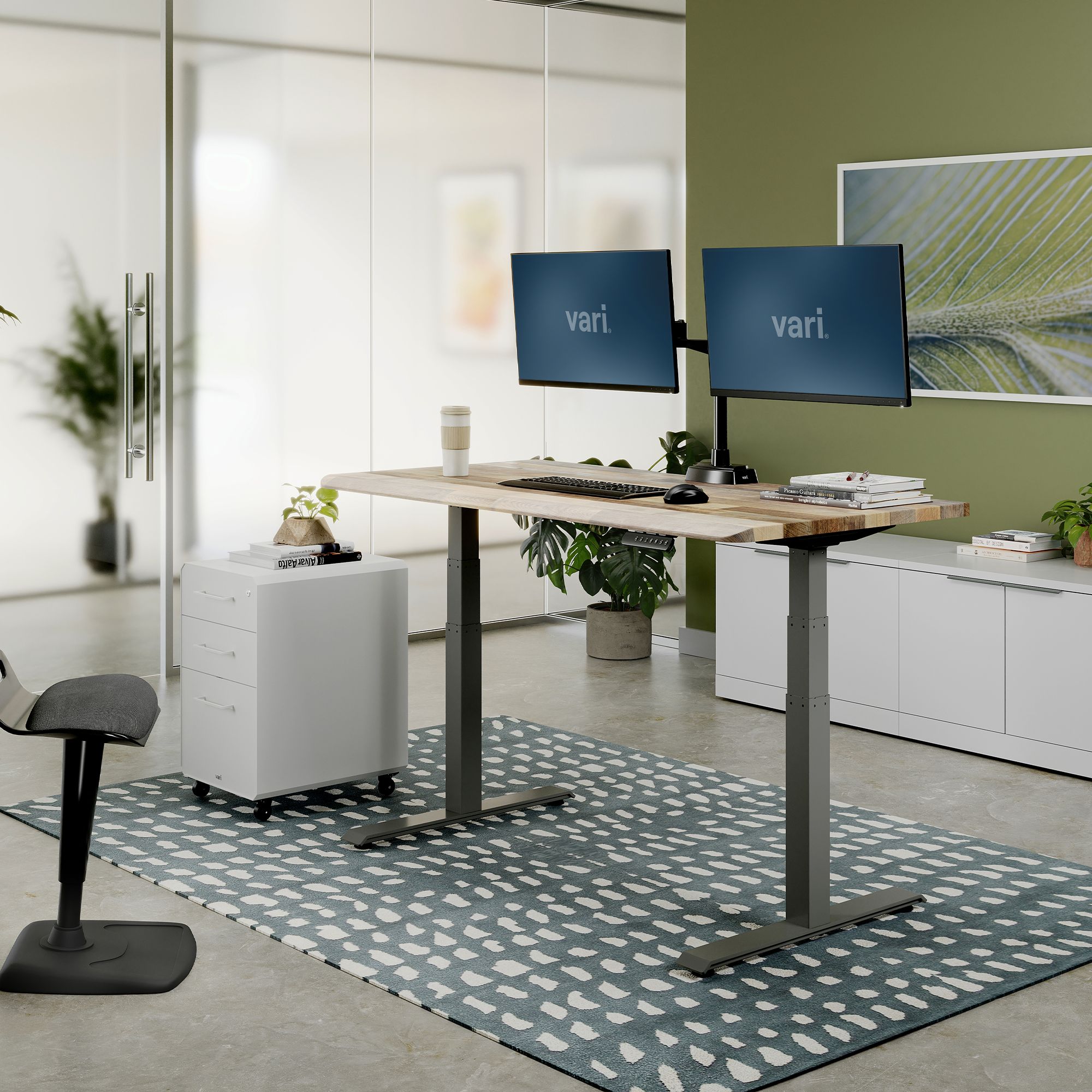
If you want a standing desk that just works — no fuss, no configuration paralysis — the Vari Electric Standing Desk is your answer. Unlike the Uplift V2’s overwhelming customization, Vari offers a streamlined experience: pick your size, pick your color, and you’re done. The desk ships fully assembled in the box, meaning you unbox, plug in, and start using it in under 10 minutes. For busy remote workers who value their time, that convenience is gold.
| Key Specs | |
| Height Range | 25″ – 50.5″ |
| Motor Type | Dual motor |
| Weight Capacity | 350 lbs |
| Desktop Size | 48″×30″ or 60″×30″ |
| Speed | 1.3″/sec |
| Assembly | Pre-assembled (10 minutes to unbox) |
Pros
- Pre-assembled — truly ready to use in minutes
- Solid dual-motor performance at a competitive price
- Clean, professional appearance fits any decor
- Excellent customer support and return policy
Cons
- Limited size and color options compared to competitors
- Minimal accessory ecosystem
- No programmable height presets (adjusts via simple up/down switch)
Best for: Remote workers who value simplicity and want the fastest setup possible. Great for non-techies and those with minimal assembly patience.
Price range: $499 – $829.
4. Fully Jarvis (by Herman Miller) — Best Design & Ergonomics
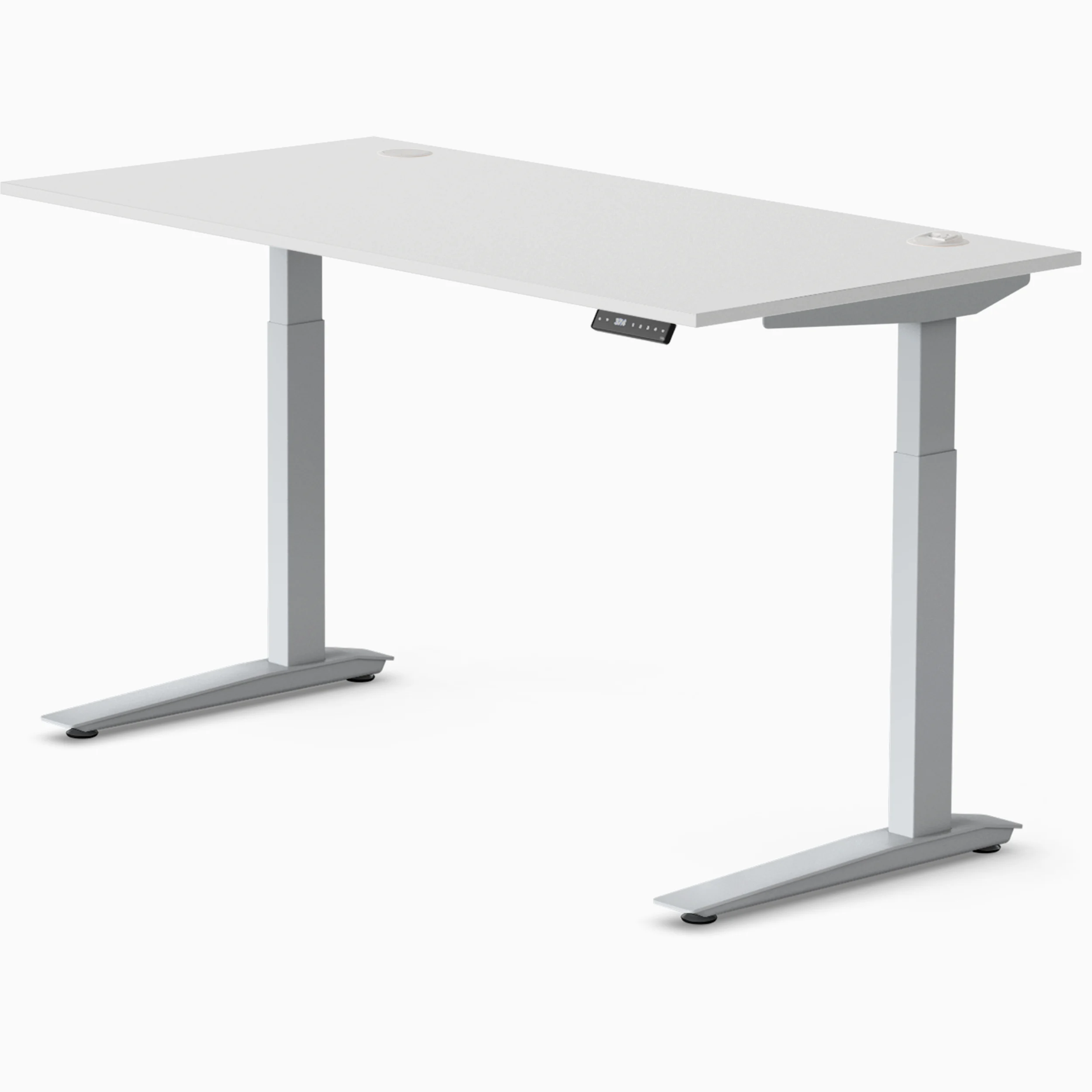
The Fully Jarvis has long been a favorite among ergonomic enthusiasts, and now that it’s backed by Herman Miller (the gold standard in office ergonomics), it’s better than ever. The Jarvis is available in both three-stage (more extension range) and two-stage frames, with some of the most beautiful desktop finishes on the market — including gorgeous bamboo and reclaimed wood options that would look right at home in a stylish apartment. It’s the best-looking standing desk bar none, but it’s also functionally excellent.
| Key Specs | |
| Height Range | 22″ – 51.2″ (three-stage frame) |
| Motor Type | Dual motor |
| Weight Capacity | 350 lbs |
| Desktop Size | 48″×30″ to 72″×30″ |
| Material Options | Bamboo, reclaimed wood, laminate, solid wood |
| Stability | Excellent — minimal wobble at full height |
Pros
- Gorgeous bamboo and reclaimed wood top options
- Low minimum height (22″) great for shorter users
- Herman Miller quality and warranty backing
- Quiet, smooth adjustment
- Extended range three-stage frame option available
Cons
- Premium pricing — bamboo tops add $300–$500
- Assembly requires some patience (40–60 minutes)
- Limited accessory selection compared to Uplift
Best for: Design-conscious remote workers who want a desk that looks as good as it functions. Perfect for WFH setups that double as decor.
Price range: $1,095 – $1,575 depending on size and desktop material.
5. Autonomous SmartDesk Pro — Best Mid-Range
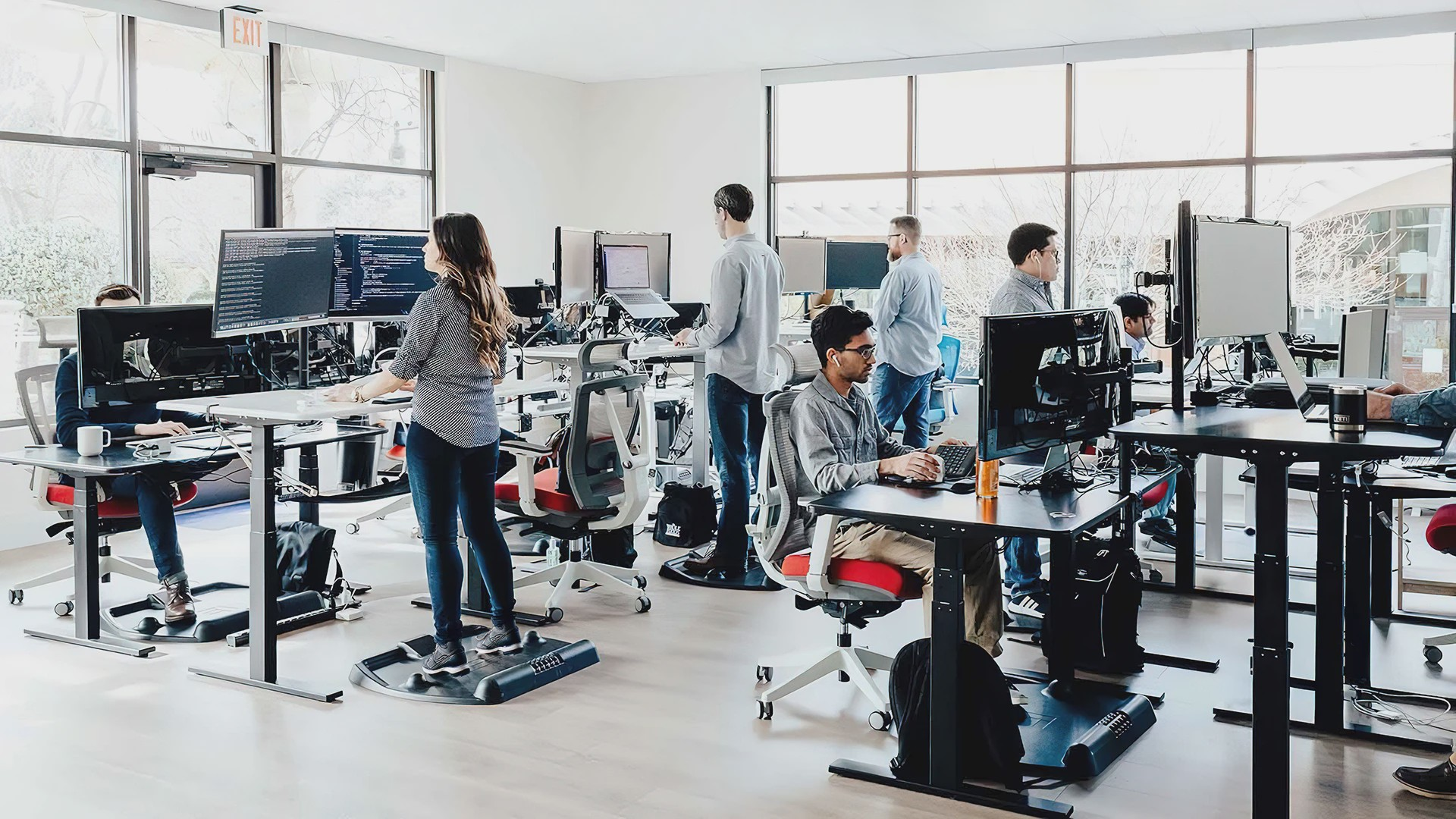
The Autonomous SmartDesk Pro has carved out a sweet spot between budget and premium. It offers a dual-motor, three-stage lifting column in a compact package. The “Pro” version upgrades the frame for better stability, adds a wider height range, and includes a programmable keypad with 4 memory presets. It’s a strong competitor to the FlexiSpot E7 Pro, especially since Autonomous frequently runs sales that bring the price down to the $600–$650 range.
| Key Specs | |
| Height Range | 25.2″ – 51.2″ |
| Motor Type | Dual motor (three-stage column) |
| Weight Capacity | 310 lbs |
| Desktop Size | 53″×29″ or 70″×33″ |
| Speed | 1.5″/sec |
| Controller | Advanced keypad with height display + 4 presets |
Pros
- Great value, especially during sales (often 00+ off)
- Three-stage column provides lower minimum height
- Sleek, minimalist design with rounded corners
- LED display shows current height
Cons
- 310 lb capacity is lower than FlexiSpot/Uplift
- Customer support reviews are mixed
- Fewer desktop color options
Best for: Remote workers who want a solid dual-motor desk without breaking 00. Great for moderate setups (single or dual monitors).
Price range: $649 – $999 (look for sales).
6. Secretlab Magnus Pro — Best for Gamers & Power Users
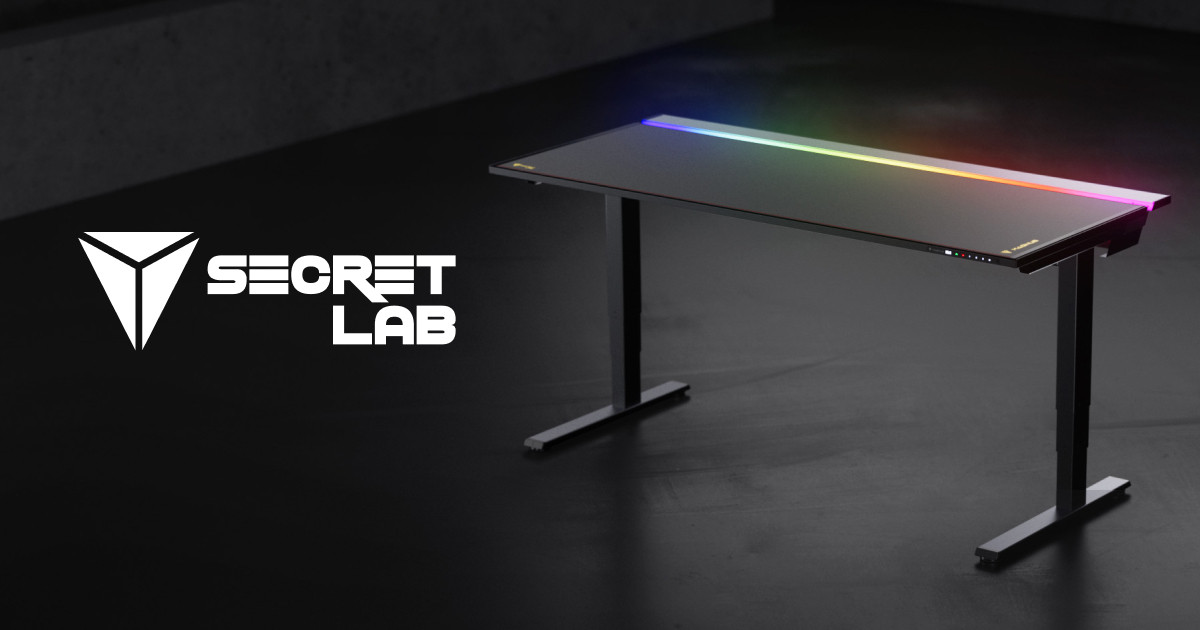
If you’ve ever seen a Secretlab gaming chair, you know the brand prioritizes build quality. The Secretlab Magnus Pro takes that same over-engineered approach and applies it to standing desks. It features a unique cable management system built into the desk’s spine — literally magnetically attached cable trays that keep everything hidden. The desk is also available in an XL version with a 69-inch width. The Magnus Pro is heavy, sturdy, and built to last a decade.
| Key Specs | |
| Height Range | 25.5″ – 49.2″ |
| Motor Type | Dual motor |
| Weight Capacity | 265 lbs |
| Desktop Size | 59″×27.6″ or 69″×31.5″ (XL) |
| Special Features | Magnetic cable management, RGB lighting ready |
| Stability | Extremely stable — heavy gauge steel frame |
Pros
- Best-in-class cable management (magnetic cover system)
- Rock-solid build — no wobble even at full height
- Integrated RGB lighting channel
- Premium materials throughout
Cons
- Very expensive — $988–$1,099 depending on size
- Heavy (over 100 lbs) — difficult to move
- Standard model is only 27.6″ deep (some prefer 30″)
- Steel top can be cold/damp in winter
Best for: Remote workers who also game on their setup. The magnetic cable management is a game-changer for clean desk enthusiasts.
Price range: $988 – $1,099.
7. IKEA Trotten — Best Budget Standing Desk

Not everyone needs a 00 motorized desk. If you’re starting out, working with a tight budget, or just want to try the standing desk lifestyle without a major investment, the IKEA Trotten is a surprisingly solid option. (Note: The Trotten is available exclusively through IKEA — check local stock for pricing.) It features a hand-crank mechanism (yes, you turn it to adjust height) that’s smooth and easy to use. It won’t be as seamless as a motorized desk, but at one-fifth the price, it’s the best budget-friendly entry point into standing desks.
| Key Specs | |
| Height Range | 27.5″ – 47.25″ |
| Motor Type | Hand crank (manual) |
| Weight Capacity | 110 lbs |
| Desktop Size | 47.25″×27.5″ |
| Adjustment | Crank handle, approximately 30 seconds to adjust |
| Assembly | IKEA-style — 30–45 minutes |
Pros
- Extremely affordable — under $350
- Simplicity — no electronics, no motors to fail
- Surprisingly smooth crank mechanism
- Available at IKEA — no shipping wait
Cons
- Manual adjustment is slower than electric
- 110 lb capacity limits equipment
- Single size, single color (white or dark gray)
- No programmable presets (obviously)
Best for: Budget-conscious remote workers. Pair with a quality ergonomic chair under $300 for a full affordable setup., students, or anyone trying standing desks for the first time.
Price range: $249.99 – $369.99.
8. Branch Standing Desk — Best Minimalist

Branch is a newer player in the standing desk space, but they’ve done something clever: they stripped away everything unnecessary and focused on one simple, well-built desk. The Branch Standing Desk features a clean, Scandinavian-inspired design with a dual-motor frame and a pre-drilled desktop. It’s available in three neutral tones — white, black, and walnut — that blend into any workspace without screaming for attention. For minimalists who don’t want gimmicks, this is the desk to beat.
| Key Specs | |
| Height Range | 28″ – 47″ |
| Motor Type | Dual motor |
| Weight Capacity | 300 lbs |
| Desktop Size | 60″×30″ |
| Controller | Simple up/down with 2 memory presets |
| Finish Options | White, black, walnut laminate |
Pros
- Beautiful, clean aesthetic
- Dual-motor performance at a reasonable price
- Pre-drilled desktop makes assembly easier
- Solid customer service reputation
Cons
- Limited to one desktop size (60″×30″)
- Height range doesn’t go as low as competitors (28″ minimum)
- Only 2 memory presets
- Limited desktop finish options
Best for: Remote workers who prioritize aesthetics and want a desk that disappears into their space. Ideal for video call backgrounds.
Price range: $359 – $549.
9. Humanscale Float — Best Premium Minimalist

The Humanscale Float is what happens when ergonomics meets high-end furniture design. Unlike traditional standing desks that use telescoping legs, the Float uses a counterbalance mechanism with gas springs. The result is an impossibly smooth and silent transition between sitting and standing — no motors, no noise, no vibration. It’s also the most beautiful standing desk money can buy. But beauty and engineering come at a price: the Float is expensive, starting at $1,635 and going up from there.
| Key Specs | |
| Height Range | 29″ – 48.5″ |
| Motor Type | Counterbalance (no motor) |
| Weight Capacity | Adjustable — supports up to 75 lbs on desktop |
| Desktop Size | 60″×28″ or 71″×30″ (various laminate and veneer options) |
| Mechanism | Gas spring counterbalance — silent operation |
| Stability | Excellent — no wobble at any height |
Pros
- Completely silent adjustment — no motor noise
- No electronics to fail — pure mechanical engineering
- Stunning design — looks like a piece of premium furniture
- Smooth, effortless height adjustment with finger-tip touch
Cons
- Very expensive — starting at $1,635
- Limited load capacity compared to motorized desks
- Desktop size options are more limited
- Not ideal for heavy multi-monitor setups
Best for: Design-forward remote workers who value silence and aesthetics over raw capacity. Excellent for professionals who take frequent video calls.
Price range: $1,635 – $2,500.
10. Ergotron WorkFit-T — Best Standing Desk Converter
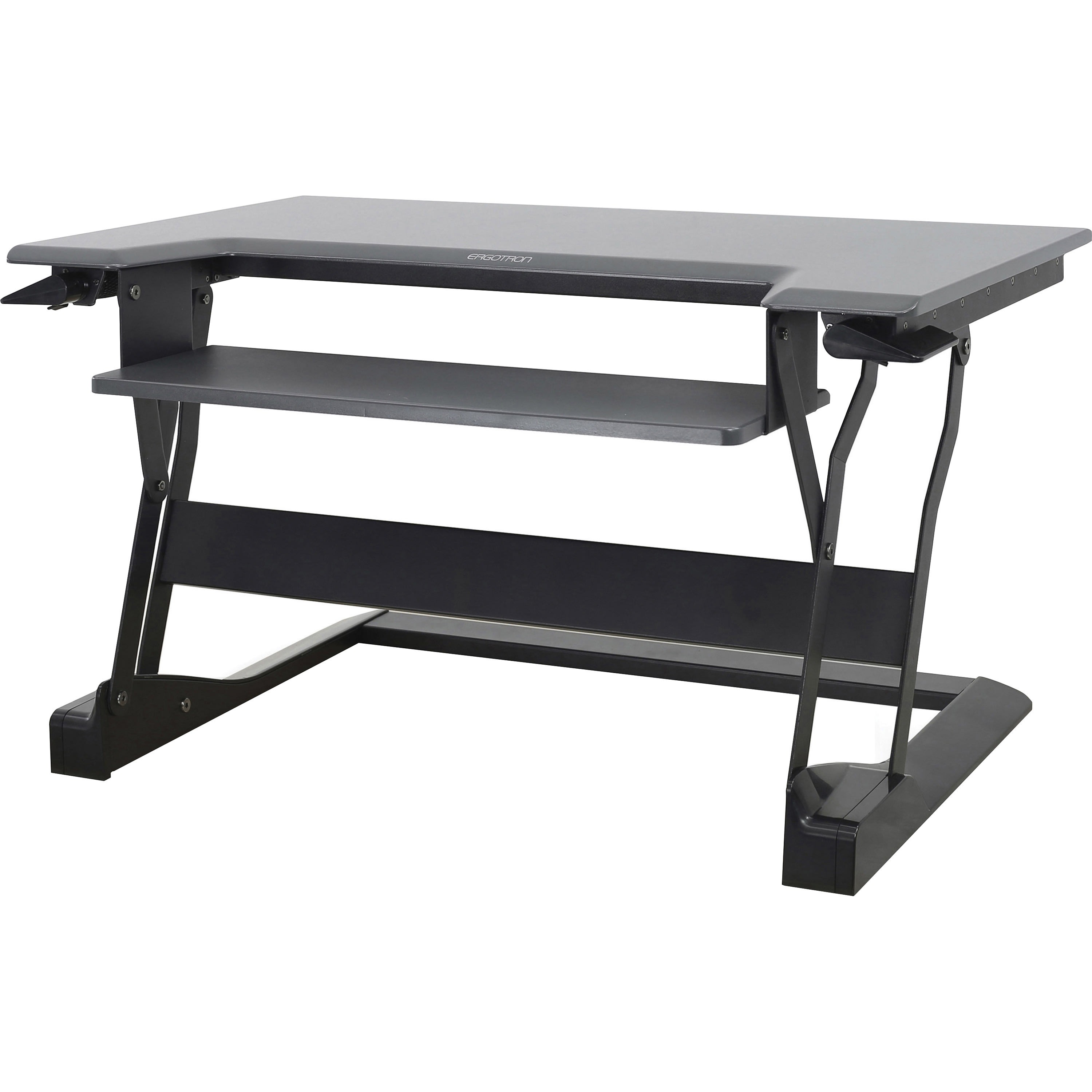
Already have a desk you love? A standing desk converter might be the answer. The Ergotron WorkFit-T is the best converter on the market, offering a massive 30″×24″ work surface that lifts with gas-spring assistance. It’s perfect for people who can’t replace their existing desk (corporate offices, shared spaces) or who want a zero-commitment introduction to standing while working. With a height range of 12″ to support virtually any seated-to-standing transition, it’s the most flexible converter we’ve tested.
| Key Specs | |
| Height Range | 4″ – 20″ lift above desk surface |
| Mechanism | Gas spring lift |
| Weight Capacity | 35 lbs (monitors + keyboard) |
| Workspace | 30″×24″ |
| Mounting | Sits on existing desk, no drilling |
| Monitor Setup | Supports up to 2 monitors with optional arms |
Pros
- No need to replace your existing desk
- Gas-spring lift is smooth and quiet
- Large worksurface comparable to a full desk
- Easy to move between positions
- VESA monitor mount compatible
Cons
- Limited to 35 lbs capacity
- Can feel bulky on smaller existing desks
- Requires some setup for cable management
- Not as stable as a full standing desk at max height
Best for: Renters who can’t modify furniture, corporate remote workers with company-provided desks, and anyone wanting to test the standing waters before buying a dedicated desk.
Price range: $573 – $968.
Best Standing Desks for Remote Work: Full Comparison Table
Still deciding? Here’s a side-by-side comparison of all 10 standing desks:
| Desk | Price | Motor | Capacity | Height Range | Best For |
|---|---|---|---|---|---|
| FlexiSpot E7 Pro | $499.99–$659.99 | Dual | 355 lbs | 25.6″–51.2″ | Best overall |
| Uplift V2 | $599–$999 | Dual | 355 lbs | 25.5″–51.1″ | Customization |
| Vari Electric | $499–$829 | Dual | 350 lbs | 25″–50.5″ | Ease of setup |
| Fully Jarvis | $1,095–$1,575 | Dual | 350 lbs | 22″–51.2″ | Design/aesthetics |
| Autonomous SmartDesk Pro | $649–$999 | Dual | 310 lbs | 25.2″–51.2″ | Mid-range value |
| Secretlab Magnus Pro | $988–$1,099 | Dual | 265 lbs | 25.5″–49.2″ | Cable management |
| IKEA Trotten | $249.99–$369.99 | Manual | 110 lbs | 27.5″–47.25″ | Budget |
| Branch Standing Desk | $359–$549 | Dual | 300 lbs | 28″–47″ | Minimalist design |
| Humanscale Float | $1,635–$2,500 | Counterbalance | 75 lbs | 29″–48.5″ | Premium/silent |
| Ergotron WorkFit-T | $573–$968 | Gas spring | 35 lbs | 4″–20″ (lift) | Desktop converter |
How to Choose the Best Standing Desks for Remote Work
Choosing a standing desk is a significant investment — you’ll likely be using it for 5–10 years. Here’s what matters most:
Height Range
The most critical spec. A proper standing desk should accommodate your height in both sitting and standing positions. For sitting, look for a minimum height around 25″ (or lower if you’re under 5’6″). For standing, you’ll want the desk to reach at least 48″ if you’re over 6 feet tall. The Fully Jarvis (22″ minimum) is excellent for shorter users, while the FlexiSpot E7 Pro and Uplift V2 both reach over 51″ — suitable for users up to 6’5″.
Dual Motor vs. Single Motor
Dual motor desks cost more, but they’re worth it. Here’s why: single motor desks use a tension rod to synchronize both legs, which creates a twisting force that reduces stability and creates more noise. Dual motor desks — where each leg has its own motor — adjust more smoothly, handle heavier loads, and last longer. Bottom line: get a dual motor desk. Every desk on this list (except the IKEA Trotten and Ergotron converter) uses dual motors for exactly this reason.
Weight Capacity
Consider everything you’ll put on your desk: monitors (25–40 lbs with arms), laptop + stand, speakers, desk lamp, books, plants (yes, the Monstera counts), and whatever else accumulates. A safe minimum is 300 lbs for most dual-monitor setups. If you’re running three monitors or an ultra-wide paired with a vertical monitor, aim for 350 lbs+. The FlexiSpot E7 Pro and Uplift V2 both handle 355 lbs — more than enough for 99% of setups.
Desktop Size & Material
A 60″×30″ desk is the sweet spot for most remote workers — it comfortably holds a 27″ monitor, laptop, keyboard, and some desk accessories. If you’re tight on space, 48″×30″ works but feels cramped with two monitors. The material matters too: laminate is durable and affordable, bamboo is eco-friendly and gorgeous, solid wood is premium but heavy, and the Secretlab Magnus Pro’s steel top is unique but can feel cold.
Stability at Standing Height
This is the #1 complaint with cheap standing desks — wobble at max height. A good rule of thumb: look for desks with a crossbar (the C-frame style) which provides lateral stability. Also, desks with wider feet (30″ front-to-back stance) are significantly more stable. The Uplift V2 with crossbar is the gold standard here, followed closely by the FlexiSpot E7 Pro.
Programmable Presets
You shouldn’t need to remember or guess your ideal sitting and standing heights. Desks with 3–4 memory presets let you switch between positions at the touch of a button. This might seem trivial, but when you’re in the flow of deep work, having to fine-tune your desk height is a distraction you don’t need. The Uplift V2, FlexiSpot E7 Pro, and Autonomous SmartDesk Pro all offer excellent memory controls.
Single Motor vs. Dual Motor Standing Desk: Which Should You Choose?
This is one of the most common questions we get, so let’s settle it once and for all:
| Factor | Single Motor | Dual Motor |
|---|---|---|
| Price | Lower ($250–$400) | Higher ($500–$1,000+) |
| Noise | Louder | Quieter |
| Weight capacity | ~150–220 lbs | ~300–355 lbs |
| Lift speed | ~1.0″/sec | ~1.5″/sec |
| Longevity | Shorter (tension rods wear) | Longer (direct drive per leg) |
| Stability | More wobble | More stable |
Our recommendation: Unless your absolute maximum budget is $350, go with a dual motor desk. The extra $150–$300 is the best money you’ll spend on your home office. It’s the difference between a desk that feels premium and one that feels like a compromise.
How to Optimize Your Home Office Standing Desk Setup
Buying a great standing desk is step one. Setting it up correctly is step two — and just as important. Here’s how to nail your ergonomics:
Sitting Position
- Elbows at 90 degrees, forearms parallel to the floor
- Monitor at arm’s length, top of screen at or just below eye level
- Feet flat on the floor (or use a footrest)
- Thighs parallel to the floor
Standing Position
- Same elbow angle — forearms parallel to the floor
- Monitor raised slightly higher than sitting position
- Stand on an anti-fatigue mat (this is non-negotiable for all-day comfort)
- Keep your weight balanced between both feet
The 1:2 Sit-Stand Ratio
Standing all day isn’t the goal — movement is. Follow the 1:2 ratio: stand for 15–20 minutes for every 30 minutes you sit. That means roughly one standing interval per hour. Program your desk’s memory presets for your sitting and standing heights, and switch every time you feel your focus drifting. The act of changing posture is what keeps your blood flowing and your mind sharp.
Pair your ergonomic hardware with the right software — see our tested picks for AI productivity tools that save remote workers 2+ hours daily.
Frequently Asked Questions
Are standing desks worth it for remote workers?
Absolutely. The research is clear: prolonged sitting is associated with increased risk of back pain, reduced metabolic function, and decreased energy. A standing desk won’t make you run a marathon, but it gives you the option to change positions, which is the single most important ergonomic improvement you can make. For remote workers who spend 8+ hours at a desk every day, a standing desk is a necessity, not a luxury.
How much weight can a standing desk safely hold?
Most dual-motor electric standing desks handle 300–355 lbs safely. Single-motor desks typically support 150–220 lbs. Always account for the total weight of ALL equipment on your desk, not just your monitors. Overloading a desk can damage the motor and void your warranty.
How long should I stand at my standing desk?
Aim for 15–20 minutes of standing for every 30 minutes of sitting. Don’t stand for hours at a time — that causes its own set of problems like joint strain and back fatigue. The real benefit comes from transitioning between positions throughout the day.
Do I need an anti-fatigue mat?
Yes. This is the most underrated standing desk accessory. A good anti-fatigue mat reduces pressure on your feet, knees, and lower back by 40% or more. Without one, standing for more than 30 minutes will leave your feet sore. With one, you can comfortably work through a full podcast or stand-up meeting. We recommend the Ergodriven Topo or Cloudz+ anti-fatigue mat.
Can I use a standing desk with a treadmill or under-desk bike?
Yes — but only if your desk has a minimum height low enough to accommodate your seated (in this case, walking) position. You’ll typically need a minimum height of 28″ or lower, and you’ll want a desk with a strong motor that can handle constant minor adjustments. The FlexiSpot E7 Pro and Uplift V2 are both excellent choices for this.
How long do standing desk motors last?
Quality dual-motor standing desks are designed to last 10+ years with normal use (5–10 transitions per day). The Uplift V2 offers a 15-year frame warranty and 5-year electronics warranty, which should tell you something about their confidence. Single-motor desks may fail sooner due to the tension rod mechanism — another reason to go dual motor.
Final Verdict: Which Standing Desk Should You Buy?
Here’s our take on the best standing desks for remote work, plain and simple:
- If you want the best value: FlexiSpot E7 Pro — it offers 95% of the Uplift experience at 60% of the price.
- If money is no object and you want total customization: Uplift V2 — still the king after years of testing.
- If you want simplicity: Vari Electric — unbox and use in 10 minutes.
- If design matters most: Fully Jarvis — bamboo or reclaimed wood, your call.
- If you’re on a tight budget: IKEA Trotten — it’s 99 and it works.
- If you can’t replace your existing desk: Ergotron WorkFit-T — the best converter bar none.
Your back, your productivity, and your energy levels will all thank you. The time to upgrade your home office is now. Pick a standing desk from this list, set it up properly, and get back to doing your best work — standing tall.
Ready to build your complete home office? Check out our complete ergonomic home office setup guide, explore more productivity desk accessories, or learn about cable management solutions to keep your new setup looking clean.
Related Gear
Looking for more ways to optimize your home office setup? Check out these related guides:
Affiliate Disclosure: Focus Mode HQ participates in affiliate programs. When you purchase through our links, we earn a small commission at no additional cost to you. This supports our ability to test and review products. We only recommend standing desks we’ve personally tested or thoroughly researched.

Sophia Carter has spent years testing productivity tools and workspace setups. She helps remote workers build efficient home offices that support deep focus, ergonomics, and better workflows.