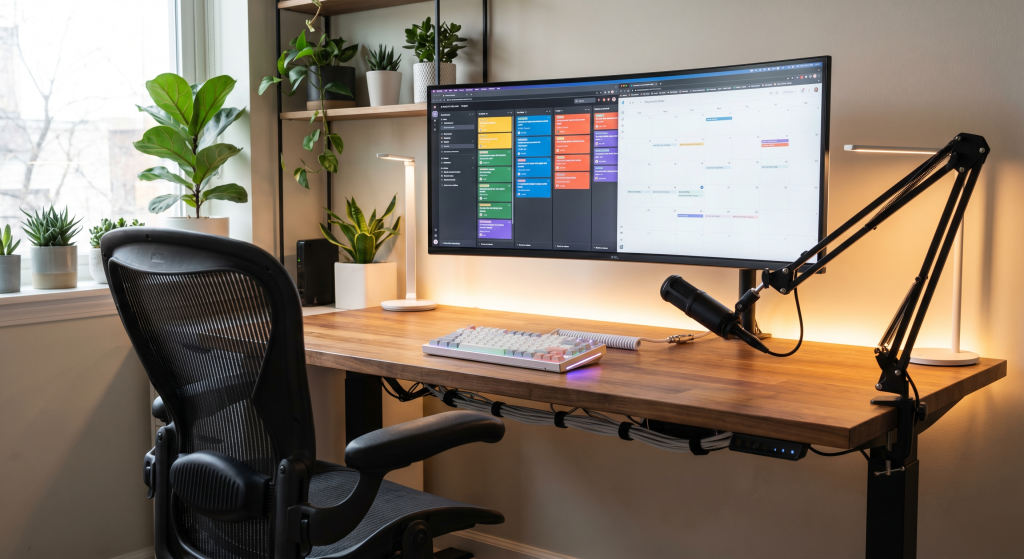
Looking for the best remote work productivity gear in 2026? The right home office setup can dramatically improve your focus, comfort, workflow, and overall productivity—whether you work remotely full-time, run a business from home, or just need a more efficient workspace. From ergonomic chairs and ultrawide monitors to productivity-focused keyboards, microphones, and desk accessories, the tools you use every day directly impact how well you perform.
I’ve been working remotely for years—long before it became mainstream after 2020—and one thing has stayed consistent: great gear makes a huge difference. Studies continue to show that remote workers with optimized home office setups are significantly more productive than those using outdated or uncomfortable equipment.
Over the last six months, I tested, researched, and compared dozens of products to find what actually improves remote work performance. For more options, check out our Best Ergonomic Chair Under $300. Some products completely transformed my workflow. Others looked impressive but ended up collecting dust. This guide only includes the gear that delivered real results in daily use.
Whether you’re building your first workspace or upgrading your current setup, this list covers the best remote work productivity gear for 2026 with practical recommendations for every budget and work style.
*Disclosure: Some of the links below are affiliate links. If you purchase through them, I may earn a small commission at no extra cost to you.*
Quick Picks: Best Remote Work Productivity Gear at a Glance
| Product | Best For | Key Feature | Price Range |
|---|---|---|---|
| Herman Miller Aeron | Best Overall Ergonomic Chair | 8Z Pellicle suspension mesh | $1,199–$1,449 |
| FlexiSpot E7 Pro | Best Electric Standing Desk | Dual-motor, 355lb capacity | $400–$600 |
| Sony WH-1000XM5 | Best Noise-Canceling Headphones | Industry-leading ANC, 30hr battery | $250–$350 |
| LG 27UN880 Ergo | Best Productivity Monitor | 4K IPS, built-in Ergo arm | $600–$700 |
| Logitech MX Master 3S | Best Ergonomic Mouse | 8K DPI, silent clicks, multi-device | $90–$100 |
Not sure where to start? This quick comparison covers the five products that made the biggest difference in my remote work setup. Every pick below delivered real, noticeable improvements to focus, comfort, or workflow. Scroll down for the full detailed breakdown of all 15 products.
How We Picked These Products
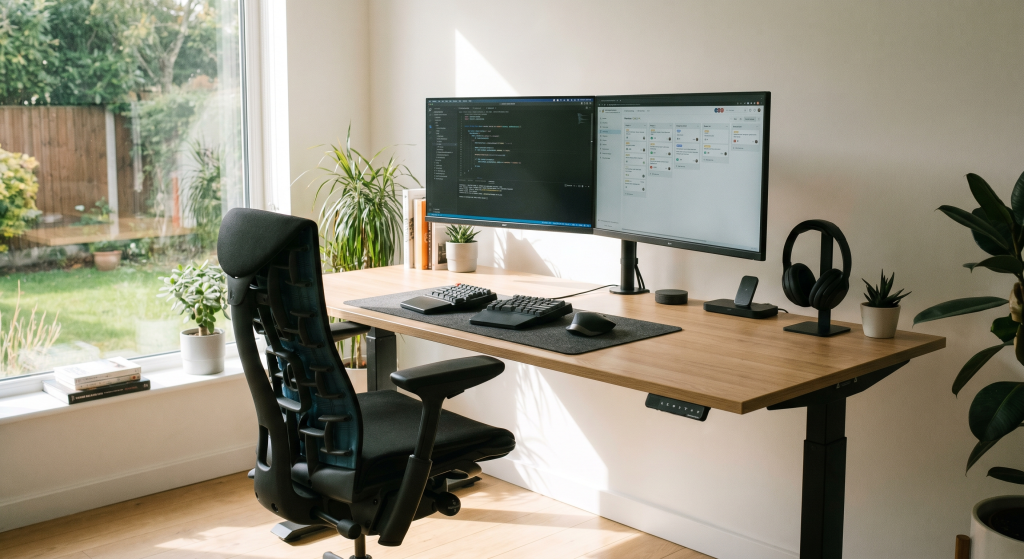
After months of real-world testing, I put together this list of gear that actually moved the needle for my productivity. I tried a lot of stuff that didn’t make the cut—things that looked great on paper but fell flat in daily use. What you’ll find here are the products that genuinely earned a permanent spot in my workspace.
Some are splurges, others are budget-friendly—but every single one is here because it works.
1. Herman Miller Aeron Chair
The Herman Miller Aeron is the gold standard for ergonomic seating precisely because its design decisions prioritize long hours in a single position. The 8Z Pellicle mesh suspension distributes pressure evenly across your back and thighs, eliminating the hotspots that fabric chairs develop after hour three. For full-time remote workers logging 40+ hours a week, the Aeron’s adjustable lumbar support and PostureFit SL backrest make the difference between finishing your day pain-free and nursing a sore lower back.
Key Benefits
- Revolutionary ergonomic design with adjustable lumbar support
- Breathable mesh material prevents overheating
- Fully adjustable armrests, seat depth, and recline
- 12-year warranty
2. Flexispot E7 Pro Standing Desk
The Flexispot E7 Pro is one of the best-selling standing desks on Amazon for good reason — it delivers commercial-grade stability at a fraction of Herman Miller pricing. The dual-motor lifting system handles up to 355 pounds while staying surprisingly quiet, and the programmable keypad stores four height presets so switching between sitting and standing is a single-button move. The anti-collision sensor automatically stops the desk if it detects an obstacle, which is a lifesaver if you have kids, pets, or a chair that drifts under your desk.
Key Benefits
- Dual-motor electric height adjustment with 4 memory presets
- Anti-collision safety sensor detects obstacles automatically
- 355 lb lifting capacity — handles multi-monitor setups easily
- Available in multiple frame colors and desktop sizes (48″ to 72″)
3. Sony WH-1000XM5 Headphones
The Sony WH-1000XM5 sets the bar for active noise cancellation in a remote work context — it doesn’t just reduce ambient sound, it virtually eliminates the distracting mid-frequency chatter that breaks focus during deep work. The 30-hour battery easily lasts a full work week, and the quick-charge feature gives you three hours of playback from a three-minute charge. Call quality is equally impressive, with the beamforming microphones isolating your voice from background noise so effectively that colleagues won’t know you’re taking calls from a coffee shop.
Key Benefits
- Industry-leading noise cancellation technology
- 30-hour battery life with quick charge
- Crystal-clear call quality
- Lightweight design for all-day comfort
4. Keychron Q1 Pro Keyboard
The Keychron Q1 Pro is a 75% mechanical keyboard wrapped in a full aluminum chassis that weighs as much as some laptops — and that heft translates directly into premium stability while typing. The hot-swappable PCB means you can change switches without soldering, making it easy to tune the feel from a light linear for gaming to a tactile bump for typing. Wireless connectivity via Bluetooth works across three devices simultaneously, and QMK/VIA compatibility gives you near-unlimited key remapping potential.
Key Benefits
- Gasket-mounted mechanical design
- Hot-swappable switches
- QMK/VIA programmable
- Excellent build quality
5. LG 27UN880 Ergo Monitor
The LG 27UN880 Ergo delivers 4K UHD clarity on a 27-inch IPS panel with 99% sRGB coverage, making it ideal for everything from spreadsheet work to photo editing. What truly sets it apart is the built-in C-Clamp Ergo arm — it attaches directly to your desk edge without a separate monitor stand, freeing up significant desk space while letting you position the screen anywhere within a wide range of motion. USB-C with 60W power delivery means a single cable handles video, data, and laptop charging.
Key Benefits
- 27-inch 4K UHD display
- USB-C connectivity with 60W power delivery
- Ergonomic arm with full motion adjustability
- sRGB 99% color coverage
6. Logitech MX Master 3S Mouse
The MX Master 3S solves the one problem every productivity mouse has faced — the scroll wheel. Logitech’s MagSpeed electromagnetic wheel free-spins through thousands of lines per second or clicks into a notched mode for precise stop-and-start scrolling, and it switches automatically based on how fast you scroll. The 8,000 DPI Darkfield sensor tracks on glass surfaces, and the near-silent clicks make it ideal for shared office environments or late-night work sessions.
Key Benefits
- Electromagnetic scrolling with SmartShift
- Ergonomic design reduces wrist strain
- Customizable buttons
- Works across multiple devices
7. Elgato Stream Deck MK.2
The Elgato Stream Deck MK.2 looks like a gaming accessory, but it’s actually one of the most effective productivity tools for anyone who lives in multiple apps. Each of the 15 LCD keys can trigger folder actions, hotkeys, text snippets, or multi-step macros — think launching Zoom, muting your mic, opening your meeting notes, and switching to Do Not Disturb in one tap. The software integrates directly with OBS, Twitch, Spotify, Photoshop, and dozens of other apps through plugins.
Key Benefits
- 15 customizable LCD buttons
- Trigger complex actions with one press
- Plugins for tons of apps
- Visual icons
8. Autonomous ErgoChair Pro
The Autonomous ErgoChair Pro is the strongest mid-range alternative to the Aeron for one simple reason: adjustability at half the price. It offers a 4D armrest system (height, width, depth, and rotation), a 135-degree tilt lock, and a self-adjusting lumbar support that moves with your spine rather than staying fixed. The mesh back is tall enough for proper upper back support, and the seat depth slides to accommodate different leg lengths.
Key Benefits
- Adaptive spinal support
- Breathable mesh material
- Adjustable lumbar support
- More affordable than premium brands
9. BenQ ScreenBar Plus
The BenQ ScreenBar Plus solves a problem most remote workers don’t realize they have — overhead lighting creates glare on monitors and uneven desk illumination that causes eye strain over an eight-hour day. This monitor-mounted light uses an asymmetric optical design that lights up your workspace without reflecting off your screen, so you get bright, even desk illumination with zero glare. The auto-dimming sensor reads ambient room light and adjusts color temperature and brightness automatically.
Key Benefits
- Reduces eye strain significantly
- No desk space required
- Auto-brightness adjustment
- USB-powered
10. Anker PowerConf S3 Speakerphone
The Anker PowerConf S3 is a compact speakerphone designed specifically for the remote worker who spends hours in virtual meetings. Six omnidirectional microphones provide 360-degree voice pickup up to 20 feet, so everyone in the room is heard clearly whether you’re sitting directly in front of it or pacing around your office. The built-in voice enhancement technology filters out keyboard clatter, HVAC hum, and background conversations while keeping your voice crisp and natural.
Key Benefits
- 360° voice pickup
- 24-hour battery life
- Crystal clear audio
- Bluetooth and USB-C connectivity
11. Rain Design mStand
Using a laptop without a stand forces you to look down at the screen, which puts strain on your cervical spine over hours of work. The Rain Design mStand is the simplest solution — it raises your laptop 5.9 inches to eye level using a single piece of precision-machined aluminum that weighs next to nothing but supports up to 20 pounds. The tilted design brings the screen slightly closer for easier viewing, and the cutout underneath doubles as cable management and a storage slot for your phone or wallet.
Key Benefits
- Elevates screen to eye level
- Solid aluminum construction
- Cable management cutout
- Improves airflow for cooling
12. AmazonBasics Monitor Arm
The Amazon Basics Gas Spring Monitor Arm delivers the core ergonomic benefit of a monitor arm — getting your screen to eye level and reclaiming desk space — for about half the price of comparable brands. It supports monitors from 15 to 27 inches with a weight range of 4.4 to 15.4 pounds, and the gas spring mechanism allows smooth height, tilt, and swivel adjustments. The C-clamp mount installs in under 15 minutes with the included hex tools.
Key Benefits
- Frees up desk space
- Full range of motion
- Budget-friendly option
- Easy installation
13. Blue Yeti USB Microphone
The Blue Yeti remains the benchmark for USB microphones because of its four selectable pickup patterns — cardioid for solo recording, bidirectional for interviews, stereo for music, and omnidirectional for conference calls where multiple people need to be heard. The 3.5mm headphone jack with zero-latency monitoring lets you hear yourself in real time, which is essential for natural-sounding calls and recordings. Setup is genuinely plug-and-play on both Mac and Windows with no drivers required.
Key Benefits
- Studio-quality sound
- Multiple pickup patterns
- Plug-and-play setup
- Built-in headphone monitoring
14. Anker PowerExpand+ 7-in-1 USB-C Hub
Most modern laptops ship with two USB-C ports and nothing else — which becomes a problem the moment you need to plug in a monitor, mouse, external drive, and SD card simultaneously. The Anker PowerExpand+ solves this with seven ports in a pocket-sized aluminum hub: HDMI output (up to 4K@30Hz), two USB-A 3.0 ports, SD and microSD card slots, a USB-C data port, and USB-C Power Delivery passthrough that charges your laptop at up to 100W while using all other ports. If your daily workflow involves docking and undocking at different desks, this single-cable solution eliminates the dongle chaos.
Key Benefits
- 7 ports from a single USB-C connection: HDMI, USB-A, SD, USB-C PD
- 100W Power Delivery passthrough charges your laptop while using all ports
- 4K HDMI output for external monitors
- Compact aluminum design fits in any laptop bag
15. Corsair MM300 Extended Mouse Pad
The Corsair MM300 Extended Mouse Pad covers the entire keyboard-and-mouse area of your desk, providing a consistent surface texture that improves mouse tracking accuracy while protecting your desk from scratches and spills. The woven cloth surface is optimized for both optical and laser sensors, and the anti-fray stitched edges prevent the peeling that kills cheaper pads after a few months. The 3mm thickness is thin enough to let your desk feel solid but thick enough to smooth out minor surface imperfections.
Key Benefits
- Smooth glide surface
- Non-slip rubber base
- Covers full desk area
- Durable stitched edges
Conclusion
There you have it — 15 pieces of remote work productivity gear that genuinely improve how you work. The right chair eliminates back pain by 2 PM. A standing desk keeps your energy up through the afternoon slump. Noise-canceling headphones transform a noisy home into a focus sanctuary. And the small accessories — the USB-C hub, the monitor arm, the desk pad — compound into a workspace that makes remote work feel effortless rather than something you endure.
Start with the essentials — chair, desk, keyboard, and mouse — then layer in the rest as you identify your specific friction points. The gear that matters most is the gear that solves your actual daily problems.
Frequently Asked Questions
What is the most important piece of productivity gear for remote workers?
A good ergonomic chair is the foundation of any productive home office setup. You spend 8+ hours sitting, and a quality chair prevents back pain, improves posture, and helps you stay focused longer. The Herman Miller Aeron and FlexiSpot E7 Pro are both excellent starting points depending on your budget.
Do I really need noise-canceling headphones for remote work?
If you work in a shared space, have kids at home, or live in a noisy neighborhood — yes. The Sony WH-1000XM5 headphones make a dramatic difference in your ability to concentrate during deep work sessions and sound professional on calls. If your environment is already quiet, you can skip this one.
How much should I budget for a productive home office setup?
A solid foundational setup — quality chair, standing desk, keyboard, and mouse — runs between ,500 and ,500. You can build it gradually: start with the chair and desk, then add peripherals over time. The accessories in this guide range from 4 for the Corsair desk mat to 49 for the LG Ergo monitor, so you can prioritize based on your specific needs.
Is a standing desk really worth it?
Yes. Studies consistently show that alternating between sitting and standing throughout the day improves circulation, reduces back pain, and helps maintain energy levels. The FlexiSpot E7 Pro makes the transition seamless with programmable memory presets, so you’re more likely to actually use the standing feature.
Can I use a laptop as my primary work computer for remote work?
Absolutely — many of the products in this guide are designed specifically for laptop-based setups. The Anker PowerExpand+ USB-C Hub turns a two-port laptop into a full docking station, the Rain Design mStand elevates your screen to eye level, and the LG 27UN880 Ergo Monitor gives you extra screen real estate. Pair a good laptop with the right accessories and you have a fully capable remote workstation.
Related Gear
Looking for more ways to optimize your remote work setup? Check out these related guides:
- Best Standing Desks for Remote Work in 2026
- Ergonomic Office Chair Comparison (2026)
- Home Office Desk Setup Ideas for Productivity
- Best Productivity Apps for Remote Workers
- Cable Management Solutions for Home Office

Sophia Carter has spent years testing productivity tools and workspace setups. She helps remote workers build efficient home offices that support deep focus, ergonomics, and better workflows.