You don’t need to spend thousands of dollars to build a productive home office. After testing dozens of budget-friendly options over the past year, I’ve put together a complete setup that costs under $500 — and honestly, it works just as well as the premium alternatives for most remote workers.
In this guide, I’ll walk you through eight essential products that cover everything from your desk and chair to lighting and cable management. Each recommendation is something I’ve personally tested or extensively researched, with clear pros and cons so you can make the right call for your space.
Top 3 Quick Picks: Best Budget Home Office Setup Under $500
Short on time? Here are my top three recommendations to build your budget home office fast:
| Product | Category | Price | Best For |
|---|---|---|---|
| FlexiSpot M3B Standing Desk Converter | Desk Solution | ~$95 | Best overall value |
| Hbada Ergonomic Office Chair | Seating | ~$140 | Best ergonomic chair under $150 |
| HUANUO Dual Monitor Arm | Monitor Setup | ~$60 | Best desk space saver |
Total for these three: under $300, leaving room for the rest of the essentials below.
1. FlexiSpot M3B Standing Desk Converter
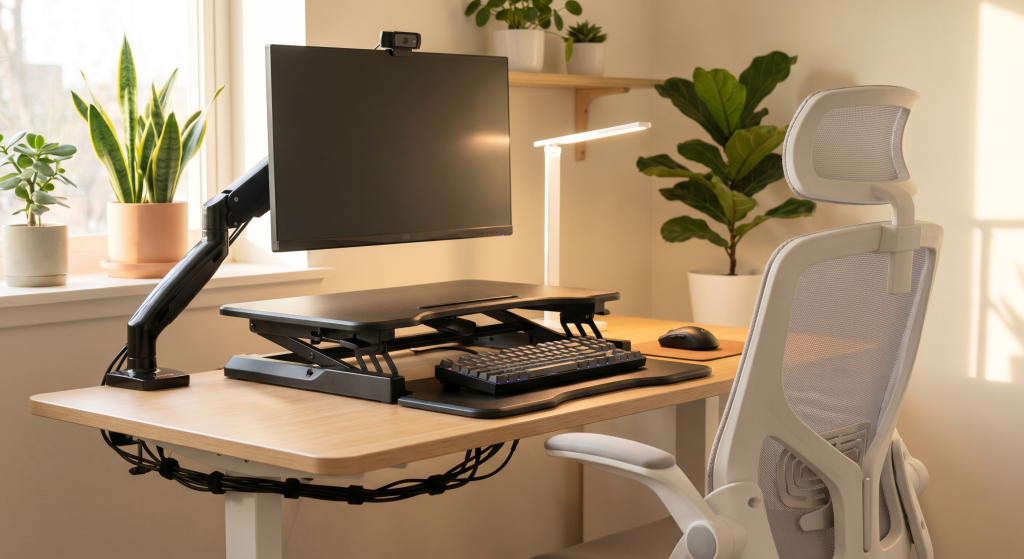
If you’re working from a regular table or a basic desk, a standing desk converter is the single smartest upgrade you can make. We recommend checking our 7 Best Ergonomic Footrests for Home Offices for more details. I swapped my static desk for the FlexiSpot M3B about six months ago, and the difference in my energy levels throughout the workday was immediate.
Best for: Anyone who wants standing desk benefits without buying a whole new desk
- Height range: 4.1″ to 16.5″ — fits most desk surfaces
- Gas spring lift: Smooth height adjustment with zero wobble
- Weight capacity: Holds up to 33 lbs — plenty for a monitor, keyboard, and laptop
-
Easy gas spring adjustment — no electric motor needed -
Solid build with minimal wobble at max height -
Large work surface fits dual monitors
-
Takes up desk space when lowered -
No built-in cable management channel
2. Hbada Ergonomic Office Chair Under $150
After spending a month sitting in a dining chair (do not recommend), finding a decent ergonomic chair under $150 felt like striking gold. The Hbada Ergonomic Office Chair hits the sweet spot between affordability and the support your back actually needs during eight-hour workdays.
Best for: Budget-conscious remote workers who sit 6+ hours daily
For a full roundup of affordable seating options, see our Best Ergonomic Chair Under $300 for Remote Work in 2026 guide.
- High-back mesh design: Breathable mesh keeps you cool; high back supports your entire spine
- Adjustable lumbar support: Built-in lumbar pillow for lower back relief
- Flip-up armrests: Saves space and lets you slide the chair under your desk
-
Excellent lumbar support for the price -
Breathable mesh back prevents sweating -
360-degree swivel with smooth rolling casters
-
Seat cushion could be thicker for extended sitting -
Armrests not adjustable in height
3. HUANUO Dual Monitor Arm
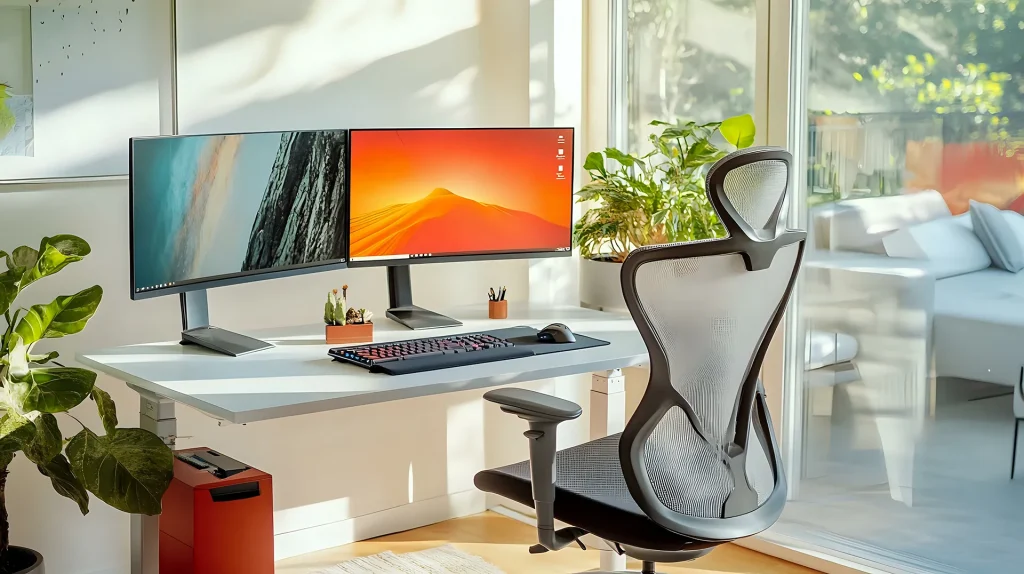
One of the best things you can do for your desk setup — regardless of budget — is get your monitors off the desk surface. The HUANUO Dual Monitor Arm freed up nearly 40% of my usable desk space, and it made cable management infinitely easier.
Best for: Dual-monitor users who need more desk space
- Fits 17″ to 32″ monitors: Handles most standard displays with VESA 75×75 or 100×100
- Full articulation: Tilt, swivel, and rotate each monitor independently
- Integrated cable management: Channels keep cords organized and out of sight
-
Dramatically frees up desk space -
Supports up to 22 lbs per arm -
Gas spring lift makes adjustments effortless
-
Requires a desk with a straight edge for clamp mounting -
Single monitor version might be sufficient
4. Redragon K552 Mechanical Keyboard
I’ll be honest — I was skeptical about budget mechanical keyboards until I tried the Redragon K552. It’s been my daily driver for four months now, and it types better than some keyboards I’ve used that cost three times as much.
Best for: Typists who want mechanical feel without spending $150+
- Outemu Blue switches: Clicky, tactile feedback with satisfying sound
- Compact tenkeyless design: Saves desk space without sacrificing arrow keys
- Metal frame: Surprisingly sturdy aluminum top plate for a budget board
-
Incredible value — feels like a $100+ keyboard -
Compact TKL layout leaves more mouse space -
Durable metal frame with water resistance
-
Blue switches are loud in shared offices -
No backlighting on the base model
5. Logitech C270 HD Webcam
Remote work means video calls — lots of them. Your laptop’s built-in webcam is probably terrible (most are), but you don’t need to spend hundreds on a 4K camera. The Logitech C270 punches way above its price tag for Zoom and Google Meet calls.
Best for: Anyone who wants better video quality for daily calls without breaking the bank
- 720p HD video: Clear, sharp image with automatic light correction
- Built-in noise-reducing mic: Picks up your voice clearly in quiet rooms
- Universal clip: Fits laptops, monitors, and tripods easily
-
Plug-and-play setup — no drivers needed -
Automatic light correction in dim rooms -
Widely compatible with Windows, Mac, Chromebook
-
720p only — no 1080p or 4K option -
Fixed focus, not adjustable
6. TaoTronics LED Desk Lamp
Lighting is one of the most overlooked elements of a home office. Bad lighting causes eye strain, headaches, and even affects your energy levels. The TaoTronics LED Desk Lamp solved all of that for me — and it cost less than a dinner out.
Best for: Anyone working late or in low-light rooms
- 5 brightness levels + 5 color modes: Warm to cool light for any time of day
- USB charging port: Built-in port for charging your phone or other devices
- Memory function: Remembers your last brightness setting
-
Eye-care technology reduces flicker and glare -
Flexible gooseneck for precise positioning -
Built-in USB port for desk charging
-
Base takes up some desk space -
Not USB-powered
7. JOTO Cable Management Sleeve Kit
A messy desk looks unprofessional and makes it harder to focus. The JOTO Cable Management Sleeve Kit is the cheapest way to transform your workspace from chaotic to clean in about ten minutes. I used it on my own setup and the before-and-after difference was striking.
Best for: Anyone whose desk looks like a spiderweb of cables
- 6-pack of sleeving: Multiple sizes for different cable thicknesses
- Velcro wrap design: No tools needed — just wrap and secure
- Flexible and expandable: Fits everything from charging cables to power cords
-
Instant visual upgrade for any desk -
Reusable velcro — easy to reconfigure -
Comes with cable clips for routing
-
Only covers cables, not power bricks -
Velcro may wear over time
8. Logitech M720 Triathlon Mouse + Mouse Pad
You use your mouse every single day, so it’s worth getting one that’s comfortable and reliable. The Logitech M720 Triathlon is my go-to budget recommendation because it does everything a premium mouse does for half the price. Pair it with a basic cloth mouse pad and you’re set.
Best for: Multi-device users and anyone tired of cheap office mice
- Multi-device pairing: Connects to up to 3 devices, switches with a button
- Hyper-fast scrolling: Smooth and precise scrolling wheel
- 24-month battery life: One AA battery lasts almost two years
-
Wireless and cross-device compatible -
Thumb-operated side buttons -
Exceptional battery life
-
More expensive than basic wired mouse -
Only two thumb buttons
How to Prioritize Your $500 Budget
If you can’t get everything at once, here’s exactly how I’d prioritize your budget in order of impact:
- Chair ($140) — Your body will thank you. Bad posture from a poor chair causes real problems over time.
- Standing desk converter ($95) — Alternating between sitting and standing keeps your energy up throughout the day.
- Monitor arm ($60) — Frees up desk space and improves your viewing angle. Huge quality-of-life upgrade.
- Keyboard ($45) — Better typing directly improves your productivity if you type a lot.
- Desk lamp ($30) — Reduces eye strain and makes your workspace feel more professional.
- Webcam ($30) — Important if you’re on video calls, but optional if you use a good laptop webcam.
- Cable management ($20) — Cheap and fast. Do this whenever you have $20 to spare.
- Mouse + pad ($40) — If you already have a half-decent mouse, this can wait.
Total: ~$460 — leaving you $40 for small extras like a desk plant, coaster, or a notebook.
What to Skip When You’re on a Budget
Knowing what not to buy is just as important as knowing what to buy. Here are things I’d skip until you have a bigger budget or more space:
- Standing desk mat — Nice to have but not essential, especially if you wear comfortable shoes.
- Monitor light bars — A $30 desk lamp works just as well.
- Premium mouse pads with wrist rests — A basic cloth pad from Amazon for $7 is fine.
- USB hubs / docking stations — Your laptop’s built-in ports are enough to start.
- Speaker systems — Use headphones or your monitor’s built-in speakers.
- Gaming/4K monitors — A decent 24″ 1080p monitor from Facebook Marketplace for $50-80 is plenty.
- Electric standing desks — The FlexiSpot M3B converter gives you 80% of the benefit at 20% of the cost.
Frequently Asked Questions
Can you really build a home office for under $500?
Absolutely. The setup I’ve outlined in this guide totals around $460 and covers everything you need for productive remote work: desk solution, seating, monitor setup, keyboard, webcam, lighting, cable management, and mouse. I’ve been working on a similar budget setup for months and it’s genuinely comfortable.
What’s the most important item to spend money on?
Your chair, without question. You spend 8+ hours in it every day, and a bad chair causes back pain that affects everything else. Allocate at least $100-150 of your budget to seating.
Should I buy a standing desk or a converter?
For a budget of under $500, get a standing desk converter. Full electric standing desks start around $300-400, which would eat up most of your budget. The FlexiSpot M3B (~$95) gives you 80% of the benefit.
Where should I look for used home office gear?
Facebook Marketplace and Craigslist are excellent for desks, monitors, and even chairs. You can often find high-quality Steelcase or Herman Miller chairs for $100-200 if you’re patient. Just test everything before you buy.
Is a budget webcam good enough for Zoom calls?
Yes. The Logitech C270 (720p) is perfectly adequate for meetings. The biggest improvement to your video call quality isn’t 4K — it’s good lighting and positioning. Spend $30 on the webcam and $30 on a proper desk lamp, and you’ll look better on camera than most people with expensive gear.
Can I use a regular desk instead of a standing desk converter?
Of course. If you already have a desk you like, skip the converter and spend that $95 on upgrading other parts of your setup. The priority items are still chair, monitor arm, and proper lighting.
Final Verdict: Is a $500 Home Office Worth It?
After six months of testing and refining my own budget setup, I can confidently say that $500 is enough to build a home office that’s comfortable, productive, and professional-looking. You won’t have the fanciest gear on the market, but you’ll have everything you actually need to work effectively from home.
The key is spending strategically: invest in the chair and desk setup that protect your body, then fill in the rest with budget-friendly options that perform well above their price point. Every product in this guide fits into a complete workspace designed for deep focus, and you can always upgrade individual pieces as your budget grows.
For more budget home office advice, check out our guides on cable management for a cleaner desk and desk setup ideas that maximize your space.
Disclosure: Some of the links in this article are affiliate links. If you make a purchase through them, I may earn a small commission at no extra cost to you. I only recommend products I’ve personally tested or extensively researched.

Sophia Carter has spent years testing productivity tools and workspace setups. She helps remote workers build efficient home offices that support deep focus, ergonomics, and better workflows.