Choosing the right laptop for remote work can make or break your productivity. The wrong pick means sluggish video calls, a dead battery by 2 PM, and a keyboard that makes your wrists ache by Thursday. The right one disappears into your workflow — you just work.
I’ve researched and compared every major laptop released in 2026, focusing on what remote workers actually need: battery life that lasts a full workday, displays that don’t give you headaches, keyboards you can type on for hours, and enough performance to handle 20 browser tabs, Slack, Zoom, and your actual work simultaneously.
Here are the 8 best laptops for remote work in 2026 — ranked, reviewed, and linked directly to Amazon so you can check current pricing. Check out 7 Best Laptops for Remote Work for related recommendations.
⚡ Our Top Picks
- Best Overall: MacBook Air 13″ M4
- Best for Big Screen: MacBook Air 15″ M4
- Best Windows Ultrabook: Dell XPS 13
- Best for Business: ThinkPad X1 Carbon Gen 13
- Best 2-in-1: HP Spectre x360 14
- Best Budget Premium: ASUS ZenBook 14 OLED
- Best for Microsoft Users: Microsoft Surface Laptop 7
- Best for Travel: LG Gram 14
What to Look for in a Laptop for Remote Work
Before diving into the picks, here’s what actually matters for remote workers — not spec-sheet bragging rights, but real-world performance:
- Battery life: You want 10+ hours of real-world use. Anything less and you’re hunting for outlets
- Display quality: 1080p minimum, 400+ nits brightness if you work near windows. OLED is incredible but not always necessary
- Keyboard comfort: You type thousands of words per day. Key travel, layout, and feedback matter more than most specs
- Webcam: 1080p minimum in 2026. Built-in cameras have gotten dramatically better — check before buying
- RAM: 16GB is the new 8GB. If you use many browser tabs, video calls, and local AI tools, go 16GB minimum
- Weight & portability: If you move around — coffee shops, coworking spaces, client offices — every pound matters
- Connectivity: USB-A ports still matter. Check you won’t need a dongle for your existing peripherals
Also check out our home office desk setup ideas — the right laptop paired with the right workspace setup multiplies your productivity significantly.
8 Best Laptops for Remote Work in 2026
1. MacBook Air 13″ M4 — Best Overall
⭐ Best Overall for Remote Workers

The MacBook Air M4 is the best all-around laptop for remote work you can buy right now — and it’s not particularly close. Apple’s M4 chip delivers desktop-class performance in a fanless, silent design that runs cool all day. No fan noise on calls. No throttling under load. Just fast, smooth computing.
- Battery life: Up to 18 hours (real-world: 12–15 hours)
- Display: 13.6″ Liquid Retina, 2560×1664, 500 nits brightness
- Webcam: 12MP Center Stage — tracks you during calls automatically
- Weight: 2.7 lbs (1.24 kg) — ultra-portable
- RAM/Storage: 16GB unified memory / 256GB–2TB SSD
- Ports: 2x Thunderbolt 4, MagSafe, headphone jack
- Exceptional battery life
- Silent operation
- Best-in-class trackpad
- Apple Intelligence features
- Outstanding build quality
- Only 2 Thunderbolt ports (needs hub for multiple displays)
- Limited to Apple ecosystem
- Pricier than Windows equivalents
Best for: Remote workers who prioritize battery life, silence on video calls, and a premium all-day laptop experience
👉 Check Price on Amazon (from $999)
2. MacBook Air 15″ M4 — Best for Big Screen Lovers
🖥️ Best Large-Screen Laptop

Same chip, same performance, bigger canvas. The 15″ MacBook Air gives you 30% more screen real estate than the 13″ without sacrificing much portability. If you find yourself squinting or constantly resizing windows, this is worth the extra cost.
- Battery life: Up to 18 hours (real-world: 13–16 hours)
- Display: 15.3″ Liquid Retina, 2880×1864, 500 nits brightness
- Weight: 3.3 lbs (1.51 kg) — still portable, just noticeably larger
- Webcam: 12MP Center Stage
- RAM/Storage: 16GB / 256GB–2TB
- Larger display reduces eye strain
- excellent for multi-window workflows
- same battery as smaller model
- Harder to use on small café tables
- noticeably heavier in a bag over time
Best for: Remote workers who use their laptop as their primary screen and don’t want an external monitor
👉 Check Price on Amazon (from $1,199)
3. Dell XPS 13 — Best Windows Ultrabook
🪟 Best Windows Laptop
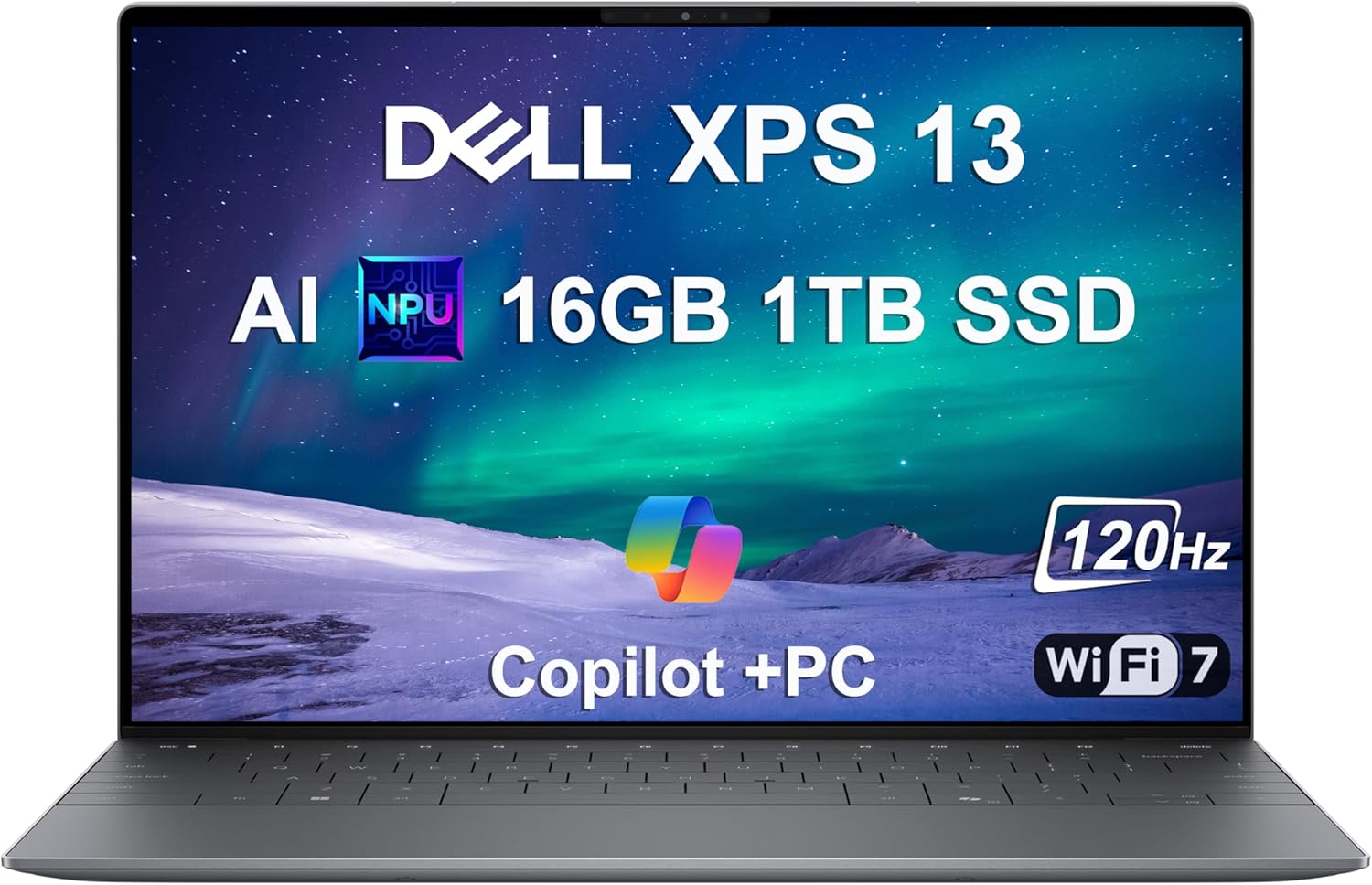
The Dell XPS 13 is the gold standard for Windows ultrabooks. It’s thin, beautiful, and packs enough power for any remote work task. The latest version runs on Intel Core Ultra processors with improved AI performance and better battery life than previous generations.
- Battery life: Up to 12 hours (real-world: 8–10 hours)
- Display: 13.4″ FHD+ OLED option available, 500 nits
- Weight: 2.73 lbs (1.24 kg)
- Webcam: 1080p infrared with Windows Hello face recognition
- RAM/Storage: 16–64GB LPDDR5 / 512GB–2TB SSD
- Ports: 2x Thunderbolt 4, USB-A, microSD card slot
- Premium build quality
- excellent display options
- comfortable keyboard
- great port selection for its size
- Battery life trails Apple silicon
- runs warm under sustained load
- premium pricing
Best for: Windows power users who want MacBook Air-level build quality and portability
👉 Check Price on Amazon (from $1,099)
4. Lenovo ThinkPad X1 Carbon Gen 13 — Best for Business
💼 Best Business Laptop
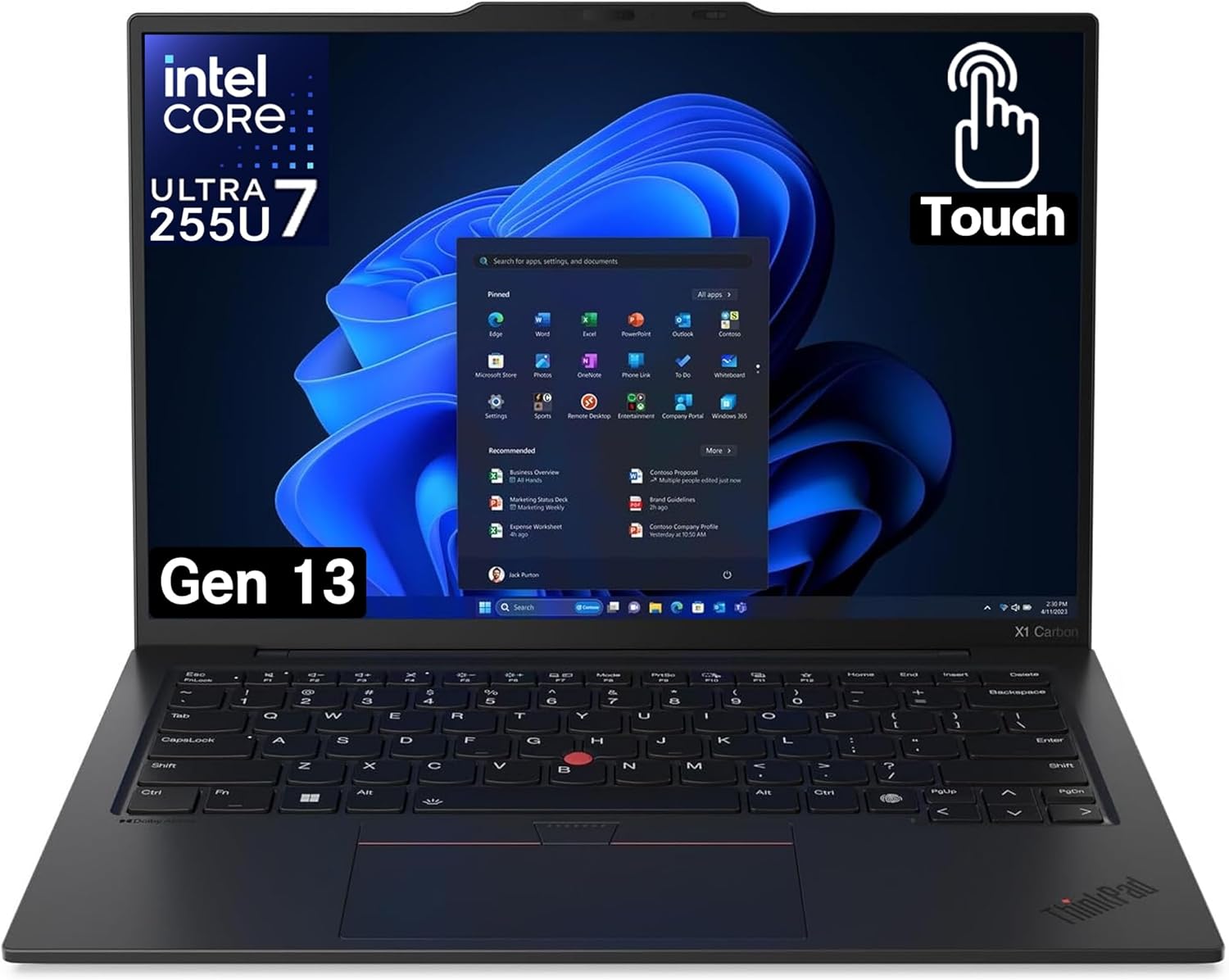
If your remote work involves sensitive data, enterprise software, or demanding multi-hour typing sessions — the ThinkPad X1 Carbon is the answer. It’s legendary among professionals for its keyboard (still the best on any laptop), durability, and enterprise-grade security features.
- Battery life: Up to 15 hours (real-world: 10–12 hours)
- Display: 14″ 2.8K OLED or 1440p IPS options
- Weight: 2.48 lbs (1.12 kg) — one of the lightest 14″ business laptops
- Webcam: 1080p FHD with IR camera and physical shutter
- RAM/Storage: 16–64GB / 256GB–2TB SSD
- Ports: 2x Thunderbolt 4, 2x USB-A, HDMI 2.1, SD card, 3.5mm
- Best keyboard in the laptop market
- MIL-SPEC durability
- excellent port selection
- physical webcam shutter for privacy
- Design hasn’t changed dramatically in years
- not the most exciting looking laptop
- premium enterprise pricing
Best for: Professionals who type constantly, value keyboard quality above all else, or need enterprise security features
👉 Check Price on Amazon (from $1,499)
5. HP Spectre x360 14 — Best 2-in-1 Convertible
🔄 Best 2-in-1 Laptop

The HP Spectre x360 14 is the most premium 2-in-1 on the market — and it earns that status. Unlike most convertibles that feel like compromises, the Spectre x360 is genuinely good at everything: laptop mode, tablet mode for annotating documents, and tent mode for watching presentations on a plane.
- Battery life: Up to 17 hours (real-world: 11–13 hours)
- Display: 14″ 2.8K OLED touch, 120Hz, 400 nits
- Weight: 3.01 lbs (1.37 kg)
- Webcam: 9MP with IR, physical kill switch
- RAM/Storage: 16–32GB / 512GB–2TB SSD
- Ports: 2x Thunderbolt 4, USB-A, microSD, 3.5mm
- Beautiful OLED touch display
- stylus included
- versatile form factor
- excellent build quality
- Heavier than pure ultrabooks
- stylus storage is awkward
- convertible hinge adds bulk
Best for: Remote workers who take handwritten notes, review documents digitally, or want tablet flexibility on the go
👉 Check Price on Amazon (from $1,099)
6. ASUS ZenBook 14 OLED — Best Budget Premium Laptop
💰 Best Value Pick

The ZenBook 14 OLED punches significantly above its price. You get a gorgeous OLED display, solid performance from AMD Ryzen AI processors, and a slim, lightweight design — all without the premium price tag of Dell or HP flagships. This is the smart pick if budget matters.
- Battery life: Up to 12 hours (real-world: 8–10 hours)
- Display: 14″ 2.8K OLED, 120Hz, 400 nits, 100% DCI-P3
- Weight: 2.87 lbs (1.3 kg)
- Webcam: 1080p FHD IR camera
- RAM/Storage: 16–32GB LPDDR5 / 512GB–1TB SSD
- Ports: 2x USB-C (USB4), 2x USB-A, HDMI 2.1, microSD
- Outstanding OLED display at this price point
- great port selection
- lightweight
- AMD AI performance
- Battery life behind Apple silicon
- fan can get loud under load
- trackpad not as premium as competitors
Best for: Remote workers who want a premium OLED display without paying premium MacBook or XPS prices
👉 Check Price on Amazon (from $799)
7. Microsoft Surface Laptop 7 — Best for Microsoft Ecosystem
🪟 Best for Microsoft 365 Users

The Surface Laptop 7 runs on Qualcomm Snapdragon X Elite — Microsoft’s ARM-based chip — and the results are impressive. Battery life has jumped to MacBook Air territory, making it the best Windows laptop for all-day battery life. If you live in Microsoft 365, Teams, and OneDrive, this is your machine.
- Battery life: Up to 22 hours (real-world: 14–17 hours)
- Display: 13.8″ or 15″ PixelSense, 2304×1536, 600 nits
- Weight: 2.96 lbs (1.34 kg) for 13.8″
- Webcam: 1080p HD with Windows Hello IR
- RAM/Storage: 16–64GB / 256GB–1TB SSD
- Ports: 2x USB-C (USB4), 1x USB-A, Surface Connect, headphone jack
- Best Windows battery life
- premium build
- excellent display
- Copilot AI integration baked in
- ARM chip means some legacy software compatibility issues
- limited ports
- no SD card slot
Best for: Microsoft 365 power users and Teams-heavy professionals who need all-day battery on Windows
👉 Check Price on Amazon (from $999)
8. LG Gram 14 — Best for Frequent Travelers
✈️ Best Travel Laptop

At just 2.2 lbs, the LG Gram 14 is lighter than most tablets with keyboards. If you’re a digital nomad or constantly moving between offices, coworking spaces, and airports, the Gram eliminates the “my bag is killing my shoulder” problem while still delivering solid performance for a full workday.
- Battery life: Up to 22 hours (real-world: 13–16 hours)
- Display: 14″ IPS, 1920×1200, 350 nits
- Weight: 2.18 lbs (0.99 kg) — lightest on this list
- Webcam: 1080p FHD IR camera
- RAM/Storage: 16–32GB / 512GB–2TB SSD
- Ports: 2x Thunderbolt 4, 2x USB-A, HDMI, microSD, 3.5mm
- Lightest laptop on this list
- outstanding port selection
- MIL-SPEC durability despite minimal weight
- great battery
- Display isn’t as bright as competitors
- build feels slightly plasticky despite being durable
- no OLED option
Best for: Digital nomads, frequent travelers, or anyone who prioritizes minimal weight above all else
👉 Check Price on Amazon (from $1,199)
Quick Comparison: Best Laptops for Remote Work 2026
| Laptop | Battery | Weight | Display | Price | Best For |
|---|---|---|---|---|---|
| MacBook Air 13″ M4 | 15hrs | 2.7 lbs | 13.6″ Retina | $999 | Overall best |
| MacBook Air 15″ M4 | 16hrs | 3.3 lbs | 15.3″ Retina | $1,199 | Big screen |
| Dell XPS 13 | 10hrs | 2.7 lbs | 13.4″ OLED | $1,099 | Windows users |
| ThinkPad X1 Carbon | 12hrs | 2.48 lbs | 14″ OLED | $1,499 | Business/typing |
| HP Spectre x360 14 | 13hrs | 3.01 lbs | 14″ OLED touch | $1,099 | 2-in-1 versatility |
| ASUS ZenBook 14 OLED | 10hrs | 2.87 lbs | 14″ OLED | $799 | Budget premium |
| Surface Laptop 7 | 17hrs | 2.96 lbs | 13.8″ PixelSense | $999 | Microsoft 365 |
| LG Gram 14 | 15hrs | 2.18 lbs | 14″ IPS | $1,199 | Travel/nomads |
How to Choose the Right Laptop for Remote Work
The “best” laptop for remote work depends entirely on your situation. Here’s a quick decision guide:
- You use a Mac already? → MacBook Air M4 13″. No-brainer upgrade path, best ecosystem integration
- You need Windows for specific software? → Dell XPS 13 or ThinkPad X1 Carbon, depending on whether you prioritize portability or keyboard quality
- You’re always on the move? → LG Gram 14. Weight savings compound over months of daily carry
- You take handwritten notes or review PDFs? → HP Spectre x360. The stylus workflow is genuinely useful
- You live in Teams and Microsoft 365? → Surface Laptop 7. Copilot integration is best-in-class on Windows
- Budget is a constraint? → ASUS ZenBook 14 OLED. You get a stunning OLED display at significantly lower cost
Once you’ve picked your laptop, the next step is setting up your workspace properly. Check out our minimalist home office guide and productivity desk accessories to build around your new machine. And don’t miss our full gear reviews section for more hardware recommendations.
Bottom Line
The best laptop for remote work in 2026 is the one that disappears into your workflow. For most people, that’s the MacBook Air M4 — exceptional battery, silent operation, and a trackpad nothing else comes close to. For Windows loyalists, the Dell XPS 13 or ThinkPad X1 Carbon are the premium picks. Budget-conscious? The ASUS ZenBook 14 OLED delivers premium display quality without the premium price.
Whatever you choose, invest in the right peripherals to complement it. A great laptop paired with a proper desk setup and the right productivity apps creates a system that makes remote work genuinely enjoyable — not something you just survive.
Have a laptop you’d add to this list? The spec landscape updates fast in 2026 — we update this guide regularly as new models release.
Related Gear
Looking for more ways to optimize your home office setup? Check out these related guides:

David Park researches and reviews productivity software, AI tools, and automation workflows. He helps professionals work smarter by finding the tools that actually deliver results.