Here’s a number that’ll punch you in the gut: 70% of remote workers are burning out because home and work have merged into one exhausting blur.
I once spent an entire Wednesday “working” for 12 hours. Want to know how much real work I actually did? Maybe two hours. The rest was me spinning on what I call the Digital Hamster Wheel—bouncing between Slack, email, and pretending to be productive.
That’s the trap most people fall into when searching for the best time blocking methods for remote work. The problem isn’t effort. It’s structure.
You start writing a report.
Slack pings.
You respond.
Check email “real quick.”
Answer three more messages.
Back to the report… wait—what was I even writing?
It takes 23 minutes to regain focus after “just checking” a notification. Do that 15 times a day and congratulations: you worked 12 hours and finished nothing.
This isn’t about laziness. It’s about a lack of defense systems for your time.
That’s what time blocking for remote work actually does. It protects your focus, reduces cognitive load, kills decision fatigue, and lets you shut your laptop without guilt.
By the end of this guide, you won’t just have a schedule.
You’ll have a productivity system that pre-decides your success.
Let’s break it down.
Why Remote Work Destroys Traditional Calendars
Traditional calendars were built for office life.
You blocked meetings.
Everything else was just “work time.”
Remote work blew that model up.
When you work from home, every notification becomes a focus grenade. That Slack ping isn’t harmless—it shatters attention management and drags you into context switching.
If you switch tasks just 12 times a day (which is conservative for most remote workers), you lose nearly four hours of productive focus. That’s why you’re still working at 7 PM.
The Hidden Productivity Killers
Remote workers face three silent drains:
- Context switching that destroys deep work
- Decision fatigue from constantly choosing what to do next
- Cognitive load from multitasking (which is a myth—your brain can’t do it)
Traditional calendars don’t account for:
- Focus time
- Deep work sessions
- Energy management
- Distraction-free work
They say you’re “free,” while your brain is screaming.
Time blocking for remote workers fixes this by pre-deciding your day.
Your calendar becomes your boss—and that’s a relief.
Strategy #1: The Classic Block
If everyone assumes you’re always available, start here.
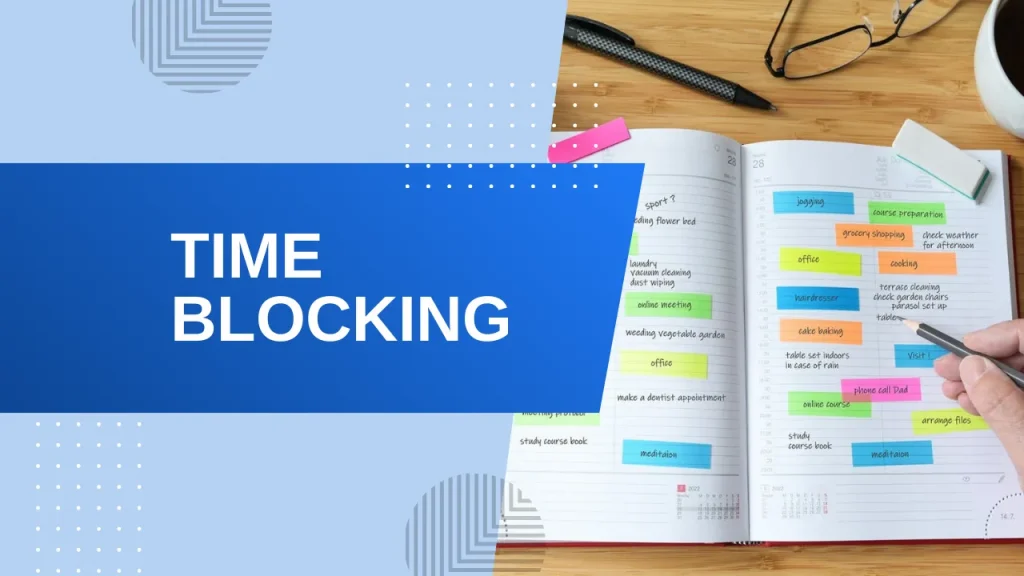
The Classic Block is simple calendar blocking:
- Open your digital calendar (Google Calendar works perfectly)
- Block time for actual work—not meetings
- Label blocks clearly
Example:
9:00–11:00 AM → Deep Work: Proposal Writing
2:00–3:30 PM → Client Research
Make It Visual
Color-code your blocks:
🔴 Deep work (high cognitive load)
🔵 Communication (email, Slack, asynchronous work)
🟢 Meetings
🟡 Admin tasks
Your brain processes visuals instantly. One glance tells you how to work.
The Buffer Rule (Non-Negotiable)
Leave 20% of your day unblocked.
Remote work is unpredictable:
- Tech issues
- “Urgent” messages
- Last-minute meetings
Buffer blocks act as shock absorbers. When chaos doesn’t happen, you get bonus focus time—or a real break.
Key benefit: flexible schedule without losing structure.
Strategy #2: Task Batching
You don’t wash one sock at a time.
So why answer one email at a time all day?
Task batching groups similar tasks into focused work blocks.
Separate Your Work
Deep work: writing, strategy, problem-solving
Shallow work: email, Slack, scheduling, admin
Batch shallow work into fixed windows:
11:00–11:30 AM → Communication
4:00–4:30 PM → Communication
Outside those windows?
- Notifications off
- Slack on Do Not Disturb
- Email closed
Most “urgent” messages can wait 90 minutes.
This single change dramatically improves remote work productivity.
Strategy #3: Day Theming
If you wear multiple hats, day theming eliminates mental chaos.
Instead of doing everything every day, assign themes:
- Monday → Marketing
- Tuesday → Product
- Wednesday → Meeting-free deep work
- Thursday → Team & 1-on-1s
- Friday → Admin + weekly planning
Why It Works
- Reduces context switching
- Lowers decision fatigue
- Improves workflow optimization
It also improves remote team communication by setting clear expectations.
One day of focused work beats five days of scattered attention.
Strategy #4: The “Bionic” Pomodoro
The classic Pomodoro technique (25/5) is too short for real work.
Use This Instead
17 minutes real break
Why?
- It takes ~20 minutes to reach flow
- Peak performance happens in longer focused sessions
The Break Rule
Your break must be:
- Away from screens
- Physically different
- Restorative
Walk, stretch, make coffee—don’t scroll.
This method crushes the afternoon slump and protects attention management.
Strategy #5: Time Boxing
Time blocking plans your day.
Time boxing forces completion.
You don’t say:
“I’ll work on this all afternoon.”
You say:
“I have 60 minutes. When the timer ends, I’m done.”
This works because of Parkinson’s Law:
Work expands to fill the time available.
Benefits
- Eliminates procrastination
- Forces task prioritization
- Prevents overthinking
Done beats perfect—every time.
Strategy #6: Energy-Based Blocking
Stop fighting your chronotype.
Most people aren’t morning superheroes—and that’s fine.
Match Tasks to Energy
- Peak energy hours: deep work
- Afternoon slump: admin, email, calendar management
Track your energy for a few days. Then schedule accordingly.
This is schedule optimization at its highest level.
Strategy #7: The End-of-Day Shutdown Block
This 15-minute block might be the most important one you schedule.
Why It Matters
Remote work has no commute—no mental off-switch.
A shutdown ritual creates:
- Boundary setting
- Work-life balance
- Real recovery time
The 15-Minute Shutdown
- Review what you completed
- Set tomorrow’s top 3 priorities
- Close all apps (actually quit them)
- Say out loud: “Work is over.”
It sounds silly.
It works anyway.
Implementation: Build Your Remote Productivity System
Step 1: Time Audit (3 Days)
Track what you actually do—not what you think you do.
This reveals:
- Time leaks
- Distraction patterns
- Missed peak performance hours
Step 2: Choose ONE Method
Not all seven.
Just one.
- Interruptions? → Classic Blocking
- Perfectionism? → Time Boxing
- Too many roles? → Day Theming
Step 3: Commit for 7 Days
Productivity systems feel weird before they feel powerful.
Stick with it.
Tools That Actually Matter
Skip the shiny productivity apps.
Google Calendar + a basic timer is enough.
Use apps only if they reduce friction—not add setup work.
Key Takeaways
| Problem | Solution |
| Constant interruptions | Classic Blocking + Buffer Time |
| Scattered focus | Task Batching |
| Too many roles | Day Theming |
| Low stamina | Bionic Pomodoro |
| Perfectionism | Time Boxing |
| Energy crashes | Energy-Based Blocking |
| Work-life blur | Shutdown Ritual |
Conclusion
You can always earn more money.
You can always learn new skills.
You can’t get time back.
Every hour lost to fake productivity is gone for good.
The best time blocking methods for remote work aren’t about doing more. They’re about doing what matters—without burning out.
Start with one strategy.
Give it seven days.
Build your system block by block.
Your calendar doesn’t need to be complicated.
It needs to be intentional.
And once you experience focused work sessions, real progress, and guilt-free evenings—you’ll never go back.

David Park researches and reviews productivity software, AI tools, and automation workflows. He helps professionals work smarter by finding the tools that actually deliver results.